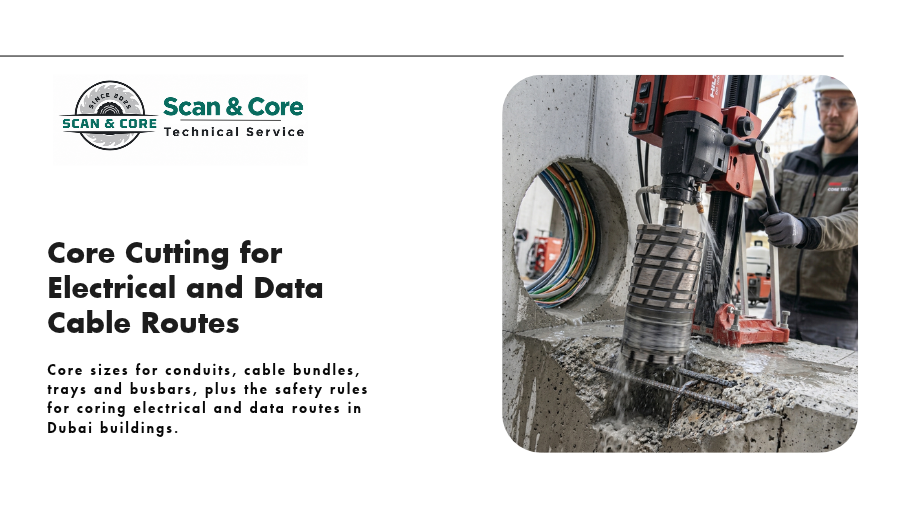
Power and data cables go everywhere: floor to floor through risers, room to room through walls, and out to car parks, EV chargers and rooftop plant. Most of those routes need a hole through concrete.
This reference guide covers typical core sizes for electrical and data routes, how to handle cable trays and busbars, and the rules that keep these penetrations safe. Use it as a starting point. Your electrical drawings and firestop system set the final sizes.
How to size a cable core
Allow for:
- The conduit or cable bundle’s outside diameter
- A sleeve, if specified
- Space for the firestop or sealant, as set by the system you’re using
- Spare capacity for future cables
A good rule is to go one bit size up if there’s any doubt. Re-coring a hole later costs far more than a slightly bigger hole now.
Conduits
| Conduit size | Typical core size |
| 20mm | 32mm |
| 25mm | 38 to 42mm |
| 32mm | 52mm |
| 40mm | 52 to 65mm |
| 50mm | 65 to 82mm |
| 63mm | 82 to 102mm |
These are for single conduits. For groups, see below.
Cable bundles and sleeves
| Route | Typical sleeve | Typical core size |
| Small data bundle (a few cables) | 50mm | 65 to 82mm |
| Medium data or power bundle | 100mm | 127mm |
| Main power cables between floors | 150mm | 200mm |
| Underground ducts into a building | 100 to 150mm | 127 to 200mm |
| EV charger cable routes in car parks | 50 to 100mm | 82 to 127mm |
Cable trays and ladders
Trays are rectangular, so a single round core rarely works. The usual approaches are:
- Corner cores plus sawing, for clean rectangular openings with square corners
- A row of cores, side by side, for narrower trays where a rectangular opening isn’t needed
- Several smaller sleeves, where cables can leave the tray to pass through and rejoin it on the other side
Allow working space around the tray, typically 50mm or more on each side, so the firestop can be installed properly. Large rectangular openings in slabs should be checked with a structural analysis.
Busbar trunking
Busbar systems need rectangular openings sized to the manufacturer’s specification, plus space for the firestop. Treat these like tray openings: corner cores and sawing, with engineering checks for slab openings.
Rules that keep cable cores safe
Scan before every core
Existing cables are often hidden in slabs and walls, and they may be live. GPR concrete scanning locates them, along with rebar and post-tension cables, before drilling.
Treat every detected service as live
GPR shows that a conduit is there, not whether it’s carrying power. Ask the building’s electrical team to confirm and isolate where possible.
Keep power and data apart
Power and data cables are usually kept separated to reduce interference. Plan separate cores or sleeves where the design calls for it, rather than pushing everything through one hole.
Think about water near electrics
Wet coring near live panels, switchgear or server equipment needs careful isolation and protection. Where the material allows, dry coring with dust extraction may be safer.
Firestop every penetration
Cable routes through fire-rated walls and slabs must be sealed with a tested firestop system. Keep cables neat through the hole so the seal can be installed properly.
Record everything
Mark every new core on the as-built drawings. The next contractor will need to know where your cables run.
Plan your cable routes with Scan and Core
Scan and Core scans and cores cable routes for fit-outs, risers, car parks and EV charger projects across Dubai and Abu Dhabi. See our concrete cutting and coring services.
Contact Scan and Core with your core schedule, or call +971 56 861 9006.